
More moms are handing everyday jobs to AI tools: planning meals, drafting emails, organizing schedules, and brainstorming birthday parties. Maybe you’ve tried it. You ask ChatGPT for dinner ideas for the week, and it suggests shrimp scampi, a quinoa bowl, and something with fennel, for kids who eat about four foods. Twenty minutes of back-and-forth later, and it would have been faster to write the meal plan yourself.
That’s usually where it ends: a loop of vague answers, corrections, and redoing it yourself. Learning to use AI more efficiently comes down to how you ask it, no matter which app you open.
I’m a former director-level product manager with a computer science degree and an MBA, and I worked on AI before generative AI was a buzzword. Now, I use AI daily to help me manage my household. The habit that saves me the most time is planning my week with AI. I put my calendar, to-do list, and top three priorities in, and it spits out a day-by-day plan. What used to take me over an hour (and left me with too many tasks per day) now takes under 20 minutes each week.
This post covers that habit, plus 10 more that get you a useful answer on the first try, so AI takes work off your plate instead of adding to it.
How To Use AI More Efficiently
For busy moms, efficient AI use starts with a few habits: choose the right tasks, write effective prompts, give context once, refine instead of restarting, and check anything you’ll act on. Here are my top tips on how to use AI more efficiently.
Pick the Right Tasks for AI
AI does its best work on jobs that take a lot of time and don’t require your specific input: repetitive planning, quick research, first drafts, and the small decisions you’re too tired to make at 9 pm. Those small decisions carry much of the mental load. If you could hand a job to a sharp assistant with clear instructions, it’s a good AI task, and that’s where AI tools save time. For me, the big ones are meal planning and weekly planning.
Some jobs still need extra care: anything with a date, a dollar amount, or your kid’s health. AI can do the first pass, but check it before you act on it. For a starting point, my post on ways ChatGPT can save you time walks through a handful of everyday use cases.
How To Write Better Prompts For AI
A prompt is what you type into the chat box. When an answer is frustrating, it’s usually because the prompt left the AI guessing. The method I use for writing effective prompts is Ask Like a Mom™, and it comes down to three steps:
- My situation: the details that matter for this ask, like your kids’ ages, how much time you have, and what’s in the fridge.
- Output: what you want back and the shape it comes in, like a checklist, a grocery list grouped by store section, or a text you can send as is.
- Make the call: ask AI to narrow it down to one finished plan or a short list, instead of ten options to sort through.
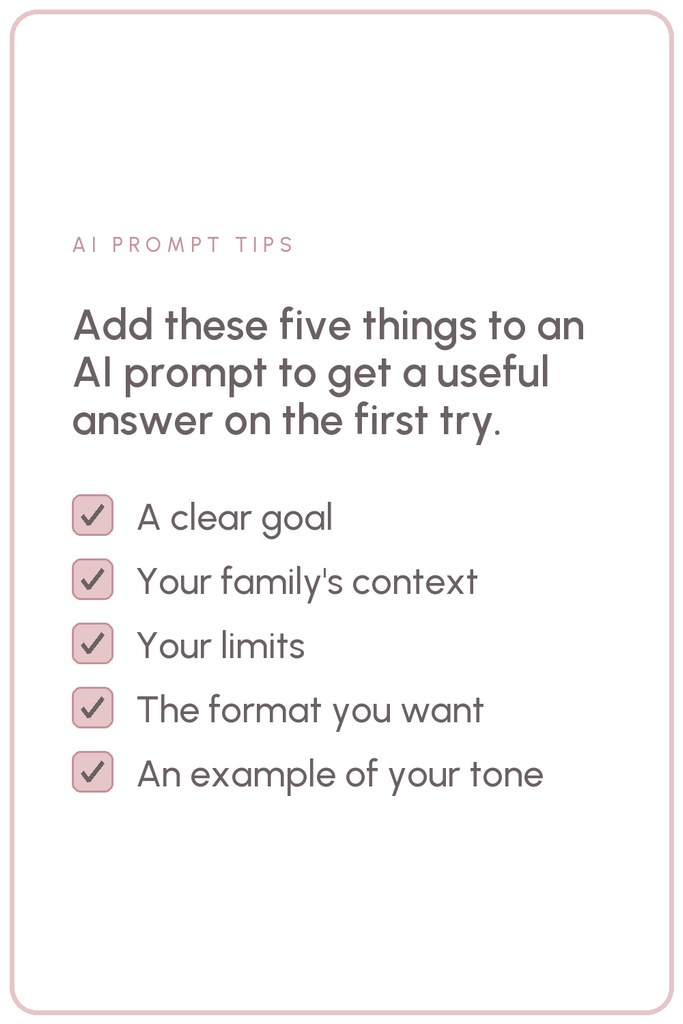
The elements below are how you fill in those steps. A clear goal, context, and constraints make up your situation. A format and an example shape the output. The last heading covers making the call. Each element you add saves you a round of fixing. I teach the full Ask Like a Mom™ method and give you 100+ prompts already built on it, inside The Simplified Membership™.
Start With a Clear Goal (My Situation)
Say what you want done and what a finished answer looks like. A request with no finish line gets a general reply, and you have to narrow it down yourself.
Before: “Help me with the week.”
After:
- I need to figure out which weeknights have no time to cook. Here’s our family schedule for Monday through Friday: [paste activities, pickups, and work hours]. Tell me which nights are the tightest and suggest 1-2 options for dinner on those nights.
Give It Context (My Situation)
Context is who’s involved and what’s going on. AI models only know what’s in the chat (plus what you’ve saved to memory), so any context you skip gets filled in with a guess.
Before: “Write an email to my kid’s teacher.”
After:
- Write a short email to my [son/daughter]’s teacher. My kid is [age] and [what’s going on, e.g., tired and teary at pickup for several days]. I want to ask whether the teacher has noticed anything at school, and I want it to sound friendly and calm. Keep it under 100 words.
Set Your Constraints (My Situation)
Constraints are your limits: time, budget, energy, and whatever’s off the table. They keep the answer to something you can do on a busy Tuesday night.
Before: “Ideas for a birthday party.”
After:
- Plan a birthday party at home for my [age]-year-old. Constraints: [number] kids, a budget of [amount], two hours max, and no crafts I’d have to prep the night before. Give me a short schedule and a shopping list.
Ask for a Specific Format (Output)
Format is the shape of the answer: a checklist, a table, a text you can send as is. Naming it saves you from reformatting a wall of paragraphs on your phone.
Before: “What should I pack for the beach?”
After:
- Make a packing checklist for a beach day with [number] kids ages [ages]. Group it by bag (snacks, sun protection, changes of clothes) and keep each item to a few words so I can check things off on my phone.
Show It an Example (Output)
When you care how a message comes across, paste in a few sentences you wrote yourself so the AI can match your tone.
Before: “Write a text to the other parents about carpool.”
After:
- Write a group text to the other parents about swapping carpool days. Match the tone of this text I already sent: [paste a message you wrote that sounds like you]. Keep it to three short sentences.
Ask AI To Decide (Make the Call)
Left alone, AI tends to hand you ten options and leave the choosing to you. Asking it to narrow things down to one finished schedule, list, or plan, or a few options, gives you a quick decision instead of a comparison after bedtime.
Before: “Ideas for something to do this Saturday.”
After:
- What should we do Saturday morning? My kids are [ages], it’s supposed to rain, we need to be home by noon, and I don’t want to spend more than [amount]. Give me your top two ideas with a link to each, and tell me which one you’d pick.
Here’s how the three steps fit together in a weekly dinner plan. Everything up to the 30-minute limit is your situation, the last sentence is the output, and asking for a plan instead of ideas makes the call:
- Plan dinners for [number] weeknights for a family of [number], with kids ages [ages]. My kids won’t eat [foods they refuse], and we avoid [any allergies]. Each dinner has to take 30 minutes or less. List the dinners first, then one grocery list grouped by store section.
If weeknight meals are where AI earns its keep in your house, my post on how to use AI to meal plan walks through it step by step.
Give AI Your Household Details Once
Without saved details, each new chat starts from zero, and you’re retyping your kids’ ages and the foods nobody will eat. ChatGPT, Claude, and Gemini each let you save them under memory, custom instructions, or a personalization setting, depending on the app. Fill it in once, and every conversation after that starts out with your family’s basics. If memory is turned on, you can also tell it to “remember this for the future,” and it’ll save the detail for you.
What to save
- Save ages, without names. The AI needs ages to plan around your kids, and it can do that without knowing who they are.
- Add the weekly rhythm. Include work hours, standing activities, and which nights are always tight.
- List the food rules. Note allergies, the foods that get refused, and how long you’re willing to cook on a weeknight.
- Say how you like answers. Ask for short, bulleted responses with one recommendation instead of five.
What to keep out: full names, your kids’ school, your address, account numbers, and anything you wouldn’t hand a stranger. My AI for moms guide walks you through getting started with these tools, including the privacy settings you should change.
Update it when your season changes, like a new activity or a new pickup time, so the plans fit your current schedule.
Connect AI to the Tools You Already Use
Saved details tell the AI who it’s planning for. Connecting it to your apps takes it one step further, so it can see what’s already on your plate and put the answer where you’ll use it. Claude, ChatGPT, and Gemini each offer ways to link apps like your calendar, email, or notes. Claude calls them connectors, and ChatGPT and Gemini call them apps, so look for that in your settings.
In my setup, Claude is connected to my Google Calendar, my task list, our budgeting app, and the Notion pages where I keep my goals. Anything I plan with it can land somewhere the family already checks, instead of in a list I copy over by hand.
Connect only what you’d be comfortable with the AI reading, and start with the app you copy things out of most often. For many families, that’s the calendar with the family schedule on it.
Keep a Short List of Prompts You Reuse
Most of your AI work repeats from week to week: dinner, the grocery list, the family schedule, the Sunday look at what’s coming up. Once an AI prompt gets you a great answer, save it somewhere you can find in ten seconds, like a note on your phone, and reuse it with fresh specifics in the brackets. The next request starts from a prompt that already worked, so you skip rewriting a weaker one. To start your list with ten ready-made prompts, grab my free guide, The 10 AI Prompts That Run Your Week.
Advanced tip: you can turn a prompt you reuse into saved instructions the AI keeps for that job, so you don’t paste the prompt at all. Claude calls this a skill, and Gemini calls it a Gem. ChatGPT is switching its version over to skills too.
For ideas on what else belongs in your rotation, my collection of ChatGPT prompts for moms is sorted by the parts of life they cover, from meal planning to cleaning and organizing.
Ask AI To Ask You Questions First
Some jobs are too big to brief well in one message, because you don’t know which facts will matter until someone asks. For those, end your prompt by asking the AI to interview you first. Answer a few quick questions once, and the version you get back will be built on what’s true for your family.
- I want to plan [the task, e.g., a weekend trip to see family]. Before you make a plan, ask me up to five questions about anything you’d need to know, one at a time. Once I’ve answered, give me the plan as a day-by-day list.
This works well for trips, parties, a new after-school routine, and other jobs with many moving pieces.
Ask AI What You’re Not Thinking Of
Questions fill in what AI doesn’t know about a job. This habit works the other way: you show AI what you’ve got and ask it what’s missing. It works on a party plan, a packing list, or a whole week.
- Here’s my plan for [the task]: [paste it]. What am I missing, or not thinking of?
When I plan my week, I paste in my calendar, my to-do list, what I didn’t finish last week, the hours I have for my own tasks, and my top three priorities. Before AI plans anything, it tells me what’s too much, what’s missing, and what should move. Then it asks me for a brain dump of anything else on my mind, and only after that does it build the plan.
Asking first catches the overloaded day while you can still move things around. This is the prompt I use:
- I’m a mom of [kids’ ages] planning my week. My calendar for this week: [paste it, with names and school names taken out]. My to-do list: [paste it]. What I didn’t get to last week: [list]. Time I have for my own tasks this week: [hours, and which days are tight]. My top priorities this week: [1 to 3]. Before we plan anything, give me feedback on this week: what’s too much, what’s missing, and what should move. Then ask me for a brain dump of anything else on my mind. Give me a day-by-day plan, Monday through Sunday, with each task on a specific day and nothing scheduled past the time I said I have. If it doesn’t all fit, tell me what to drop or push to next week, and why.

Refine the Answer Instead of Starting Over
When an answer is mostly right, fix the part that’s wrong with a follow-up message in the same chat. The AI system can see everything you’ve told it in that conversation, so a one-line follow-up builds on all of it. Starting a new conversation throws that away, and you’re back to repeating every change you’ve already asked for.
Short follow-ups do most of the work:
- Swap Tuesday’s dinner for something that doesn’t need the oven.
- Make this email warmer and cut it in half.
- Same plan, but I don’t have the car on Thursdays.
- Which of these would you cut first?
Start a New Chat for Each New Task
Staying in one chat helps while you’re refining the same plan. Once you move from dinner to the birthday party, open a new one. In a long thread, details from one job can leak into another, and the AI can start mixing the party budget into the grocery list. Your saved memory still carries your household basics into every new chat, so a fresh start costs you very little.
If one plan has run so long that the answers stop making sense, ask for a handoff before you switch:
- Summarize everything we’ve decided in this chat, including my constraints and anything I asked you to change, so I can paste it into a new chat and pick up where we left off.
Talk or Snap a Photo Instead of Typing
Most AI apps let you tap the microphone and talk, or attach a photo. Talking through the week out loud in the car line is faster than typing on your phone, and a photo of the swim schedule, school flyer, or handwritten list on the counter saves you from copying it over.
- Here’s a photo of the handwritten to-do list on my counter. Sort it into a day-by-day checklist for Monday through Friday.
Before you send a photo, crop out kids’ faces, names, and the school’s name.
Double Check Anything That Matters
AI models can sound completely confident and still be wrong. They mix up dates, fill gaps with plausible-sounding guesses, and repeat outdated information as if it were current. Once, when I asked AI for things to do, it gave me a few places that were no longer open.
Verify before you act on:
- Dates and deadlines, like registration windows, holiday closures, and early release days.
- School details, against the school’s own calendar or emails.
- Medical and allergy information, with your pediatrician or pharmacist.
- Anything that costs money or can’t be undone.
Before you rely on an answer, ask, “Where did that come from, and how sure are you?” and it’ll often admit it’s a guess. The check takes a minute, and you still skip the research you’d have done from scratch.

Try It on Next Week’s Meals
Dinner happens every night, so it’s the easiest place to test these habits. Save your family’s food rules once, add a format to your next meal-plan request, ask AI to make the call, and check that the reply skips the fennel and fits your Tuesday.
If you’d like the prompts written for you, the Ask Like a Mom™ library inside The Simplified Membership™ has more than 100 prompts for the planning each month brings, built on the same three steps as the prompts in this post. I thought ahead so you don’t have to. Yes, I want the thinking already done for me.
Want these habits handy the next time you open AI? Pin one of these to your AI board.



Leave a Reply